
iPhone Settings for Northern Lights in Tromsø Guide
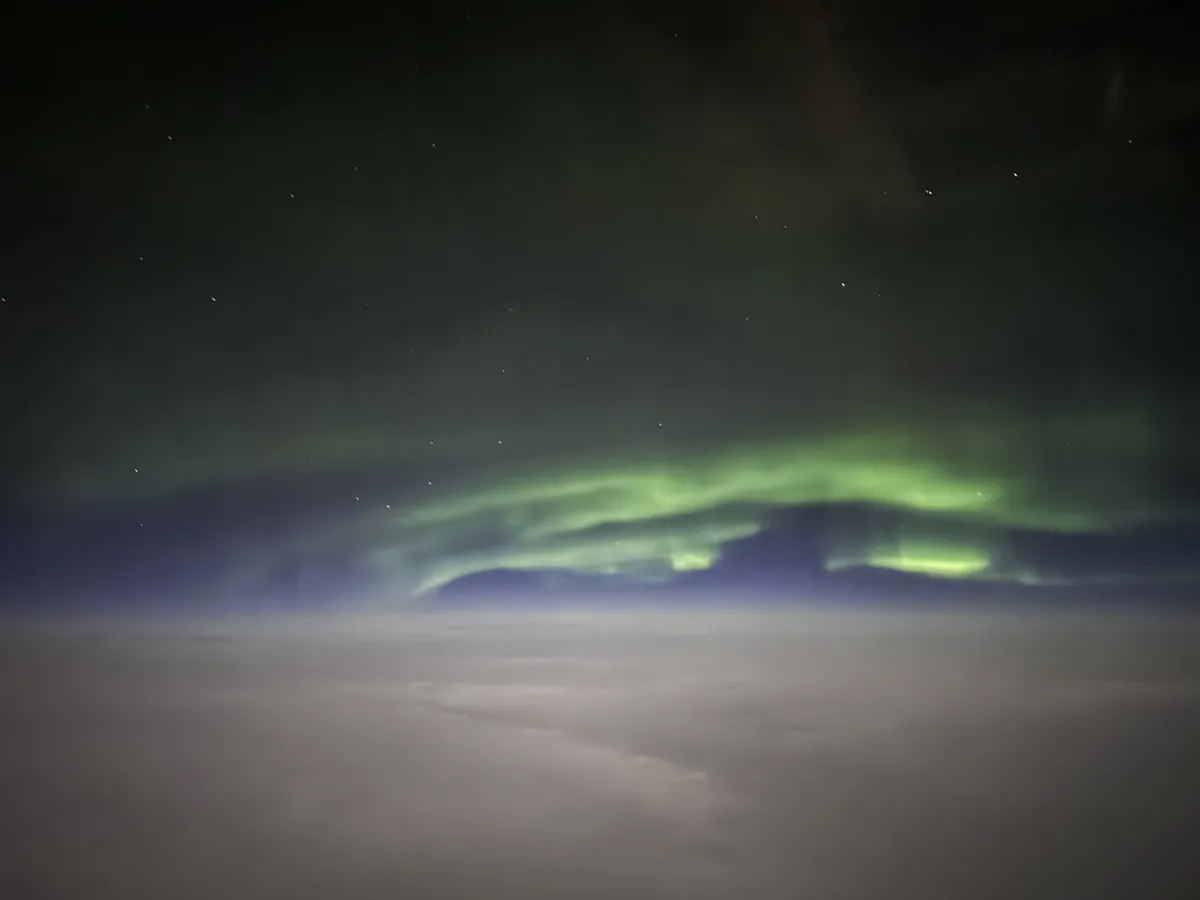
Table of Contents
Best iPhone Settings for Northern Lights in Tromsø 2026
Capturing the dancing green lights in the Tromsø night sky is a true bucket list dream. You do not need a heavy camera to get great shots of the aurora this winter. This comprehensive guide explores the best iPhone settings for Northern Lights in Tromsø for your 2026 trip. Modern technology allows you to take stunning photos with just a few simple adjustments.
Many travelers think they need professional DSLR equipment to photograph the beautiful Arctic sky effectively. However, the latest smartphone sensors are powerful enough to capture vivid colors and sharp details easily. You can achieve professional results by mastering your device settings before the lights begin to appear. We will help you prepare for a successful photography session in the snowy Norwegian wilderness.
Mastering iPhone settings for Northern Lights in Tromsø
For official information, visit Avinor Tromsø Airport.
For the most up-to-date details, check Visit Tromsø before you go.
Night Mode is the most essential tool for capturing dark landscapes with your modern smartphone device. This setting automatically activates when your iPhone detects a very dark environment in the Norwegian Arctic. You should manually adjust the exposure time to its maximum length for the brightest possible images. A longer exposure helps the sensor capture the faint glow of the northern lights quite clearly.Open your camera application and look for the yellow moon icon in the top left corner. Tap this icon and move the slider to the right to select the maximum time available. Using a thirty-second exposure is ideal when you are using a stable tripod for your shots. This technique ensures that your 2026 aurora photos look vibrant and full of spectacular natural detail.
Mastering these tips is part of a larger photography guide for Tromsø winter landscapes for all travelers. You must keep your phone steady during the entire exposure process to avoid blurry or shaky images. Even the slightest movement can ruin the sharpness of the light pillars dancing above the mountains. Practice these adjustments in a dark room before you head out into the cold night.
Focus and Exposure Locking Tips
Standard autofocus often struggles to find a sharp point in the pitch-black darkness of the Arctic. You should manually set your focus on a distant star or a bright light on the horizon. Press and hold your finger on the screen until the yellow focus box flashes twice. This action locks the focus so the camera does not hunt for sharpness during your shot.
Once the focus is locked, you can adjust the brightness by sliding your finger up or down. Aim for a balance where the sky looks dark but the aurora remains bright and colorful. Keeping the exposure locked prevents the camera from changing settings between your different photography attempts. This consistency is vital for creating a beautiful series of images during the winter season.
Many people prefer to learn these skills while joining the best Tromsø northern lights tours 2026 with experts. Professional guides can show you exactly where to tap on your screen for the best results. They often know the perfect locations where city lights will not interfere with your smartphone sensor. Locking your settings allows you to focus more on enjoying the incredible celestial show.
Using ProRAW for Better Quality
If you own a Pro model, you should definitely enable the Apple ProRAW format in your settings. This format saves more data in your image files for better editing results later in the day. You can adjust the colors and shadows much more effectively without losing any important image quality. Go to the camera settings and select the formats menu to toggle this powerful feature on.
ProRAW images take up more storage space than standard photos, so check your available memory before leaving. The extra detail is worth the space because it allows for stunning prints of your Tromsø adventures. You can use apps like Lightroom or Snapseed to bring out the hidden purple and pink hues. These edits will make your 2026 Arctic photography stand out on your social media feeds.
- Enable ProRAW in the Settings app under Camera and Formats.
- Ensure you have at least ten gigabytes of free space for your photos.
- Use a mobile editing app to enhance the natural colors of the aurora.
- Turn off your flash because it will ruin the long exposure effect.
Essential Tripods and Accessories
💡 Pro Tip: Book your Oslo adventures in advance through Viator for the best deals!
A stable tripod is the most important accessory for successful long exposure photography with an iPhone. Even the steadiest hands will cause some motion blur during a ten-second or thirty-second shot. You can find lightweight travel tripods that fit easily into your winter backpack or jacket pocket. Using a tripod allows the Night Mode to reach its full potential for maximum brightness.
You must protect your equipment by using the right camera gear for cold weather in Tromsø 2026 during your visit. Consider buying a smartphone mount that attaches securely to any standard tripod screw for better stability. Some mounts also include a Bluetooth remote so you can trigger the shutter without touching the phone. This prevents any vibration from your finger from shaking the camera at the start.
Using a remote shutter is a great way to ensure your images remain perfectly sharp and clear. If you do not have a remote, use the built-in timer function for a three-second delay. This gives the phone time to stop vibrating after you press the on-screen shutter button. These small details separate average snapshots from professional-quality landscape photos in the Arctic circle.
Protecting Your Battery in Winter
Extremely cold temperatures in Tromsø can cause your iPhone battery to drain much faster than usual. You should keep your phone in an inner pocket close to your body to maintain warmth. Only take the device out when you are ready to set up your specific shot. Cold batteries might cause the phone to shut down unexpectedly during a long exposure session.
Bring a high-capacity portable power bank to keep your device charged throughout the long Arctic night. Connect the power bank to your phone using a long cable while it sits on the tripod. This ensures that you never miss a sudden burst of aurora activity due to a dead battery. Keeping your phone warm is just as important as choosing the right digital camera settings.
Pro Tip: Use chemical hand warmers taped to the back of your phone case for extra warmth. This trick helps maintain the battery life when the temperature drops below minus ten degrees Celsius. Always carry a spare charging cable in case the first one becomes brittle in the freezing air. Your 2026 winter trip will be much more successful with these simple battery-saving preparations.
Frequently Asked Questions
Can I take photos of the Northern Lights without a tripod?
You can take photos of the aurora handheld if your iPhone has a good Night Mode feature. However, the exposure time will be limited to only ten seconds for most handheld shots. For the best and brightest results, using a stable surface or tripod is always highly recommended.
Which iPhone models work best for Northern Lights photography?
The iPhone 11 and all newer models include the Night Mode feature required for aurora photography. The Pro and Pro Max versions are better because they offer the ProRAW format for editing. These newer devices have larger sensors that capture more light in dark Arctic conditions.
Should I use the flash when photographing the aurora?
You should always turn off your flash when trying to photograph the northern lights in Tromsø. The flash will only light up the falling snow or the ground directly in front of you. It makes the distant sky look much darker and ruins the natural colors of the aurora.
Capturing the aurora with your iPhone is a rewarding experience that requires just a little bit of preparation. By using Night Mode and a tripod, you can take incredible photos of the Tromsø sky. Remember to keep your phone warm and use ProRAW for the highest quality image files possible. Start planning your 2026 Arctic adventure today and prepare to capture memories that will last a lifetime.
Key Takeaways
⭐ Recommendation: Don't miss out on amazing Oslo tours - book now!
- Always use a tripod to enable the maximum 30-second Night Mode exposure.
- Lock your focus on a distant star to ensure your images stay sharp.
- Keep your iPhone in a warm pocket to prevent the battery from draining.
- Turn off your flash to avoid ruining the natural light of the aurora.
Related reads: polarcityguide.com, troms winter travel guide 2026.